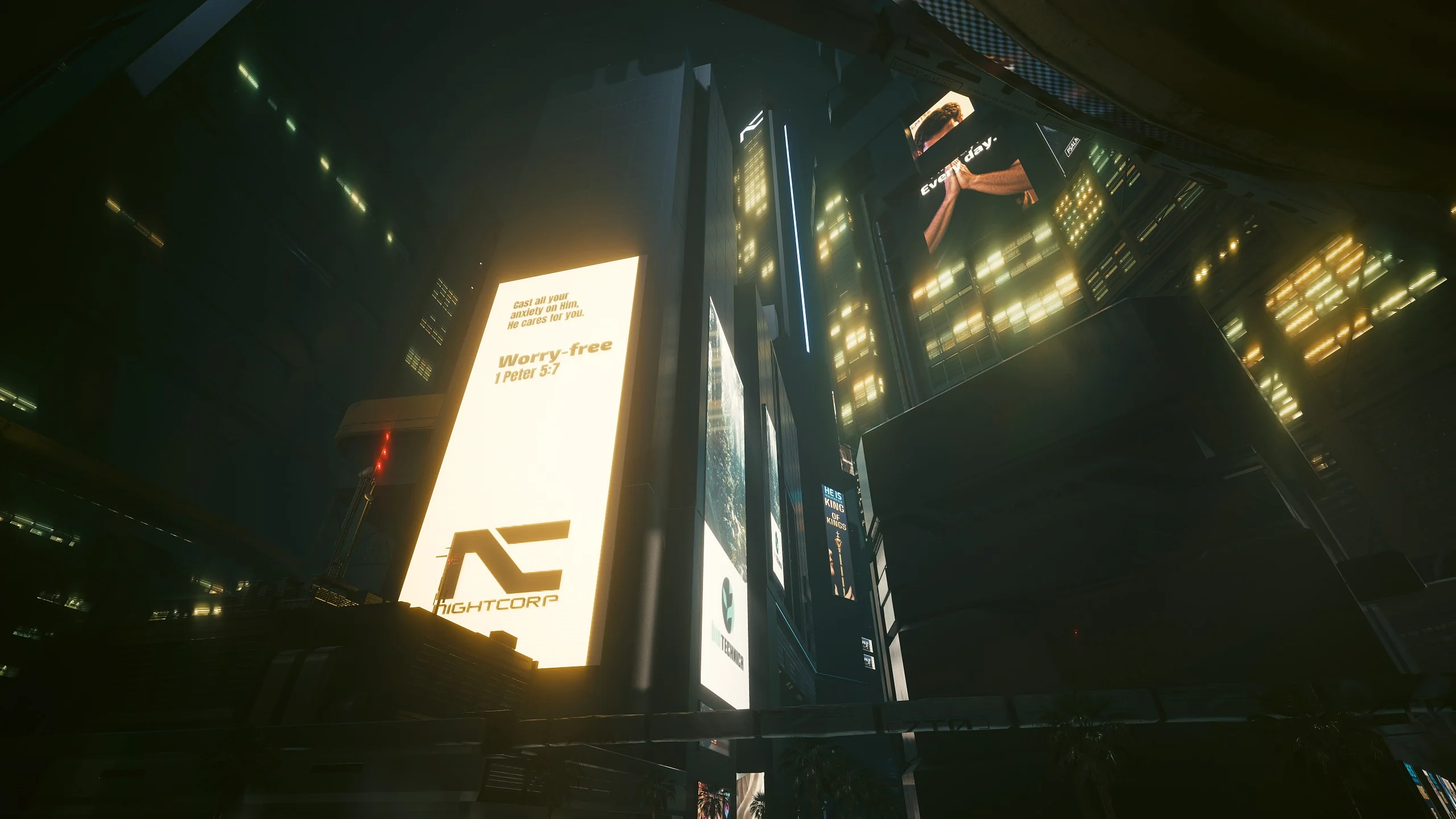
A free mod for Cyberpunk 2077. It replaces the billboards and screen ads of 95 Night City brands with Christian ones: new pictures, new slogans and a Bible verse on each.
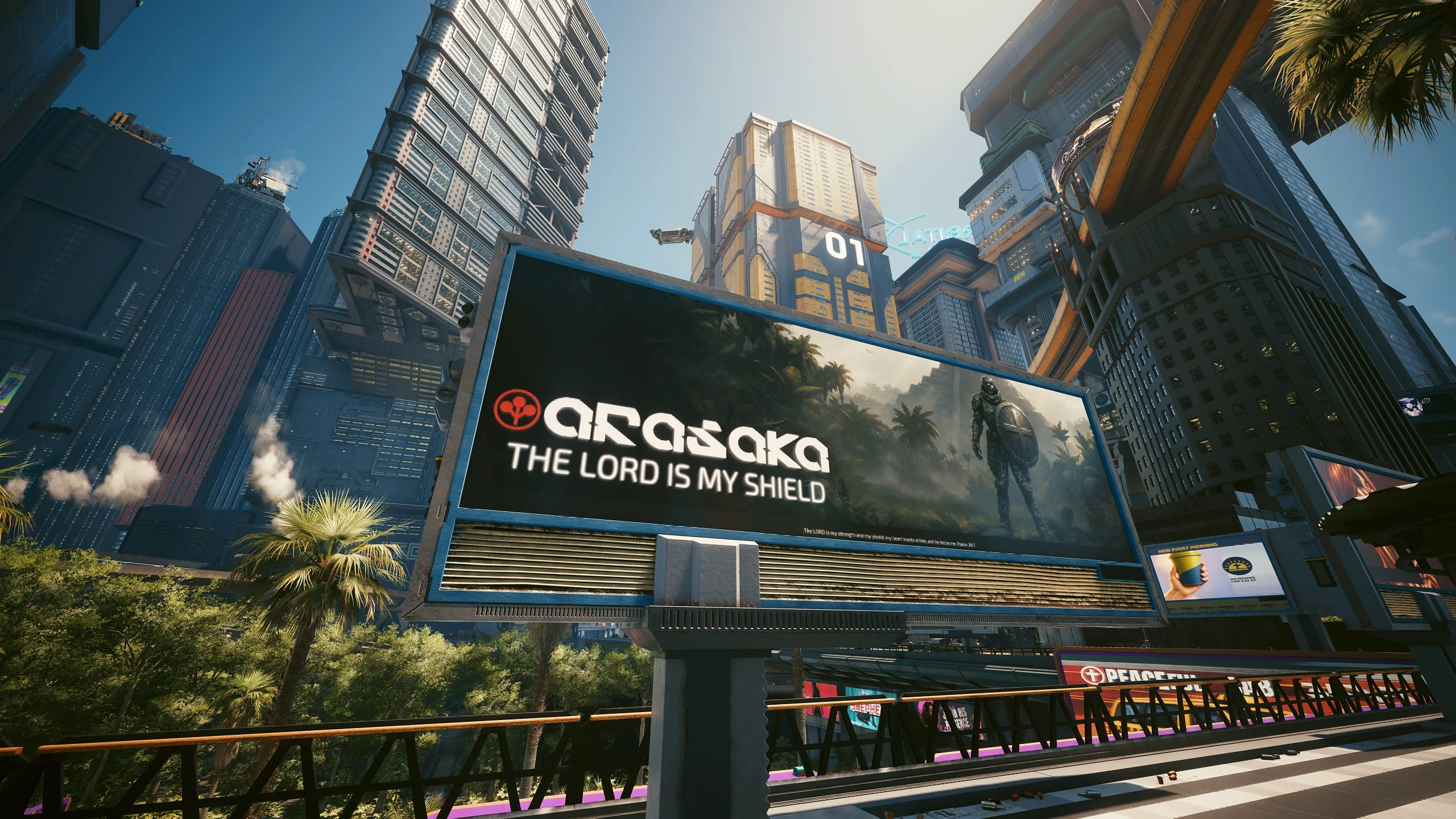
Arasaka in daylight: “THE LORD IS MY SHIELD” (Psalm 28:7)
95 brands, every format
Billboards, screens and posters of 95 brands, in every format the game shows: wide, square and tall. Each ad keeps the game's own layout, so it fits the street it hangs in.
Same companies, new message
Arasaka, Kang Tao, Militech, NCPD and Nightcorp keep their names and logos. Kang Tao's “YOU SHOOT. WE AIM.” now reads “YOU SHOOT. WE PRAY.” Ads for drugs, braindances and cheap thrills get a new name and good news.
A verse on every ad
Each ad carries a Bible verse. On top of that come 9 posters and 3 graffiti with verses.
In the game
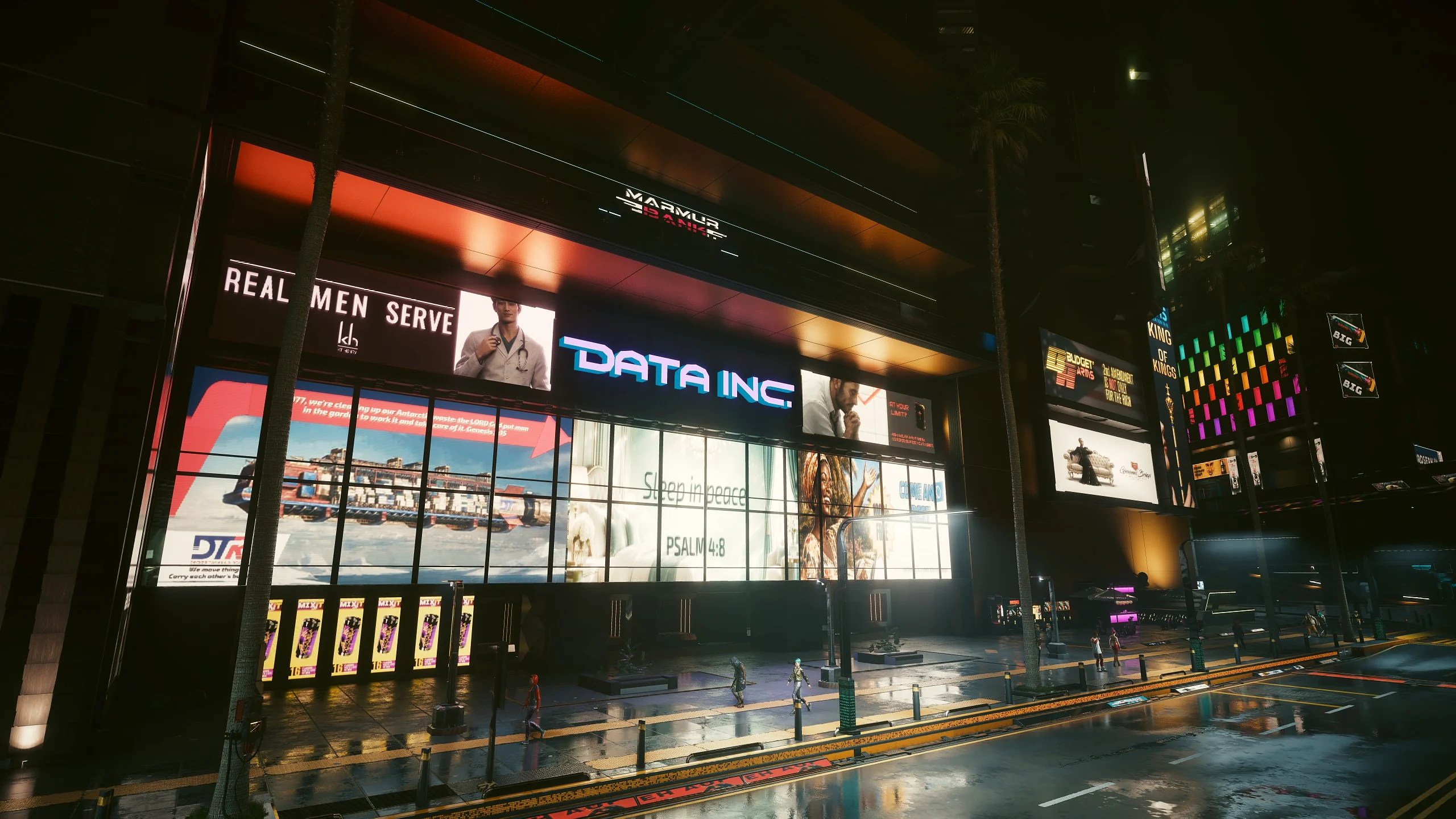
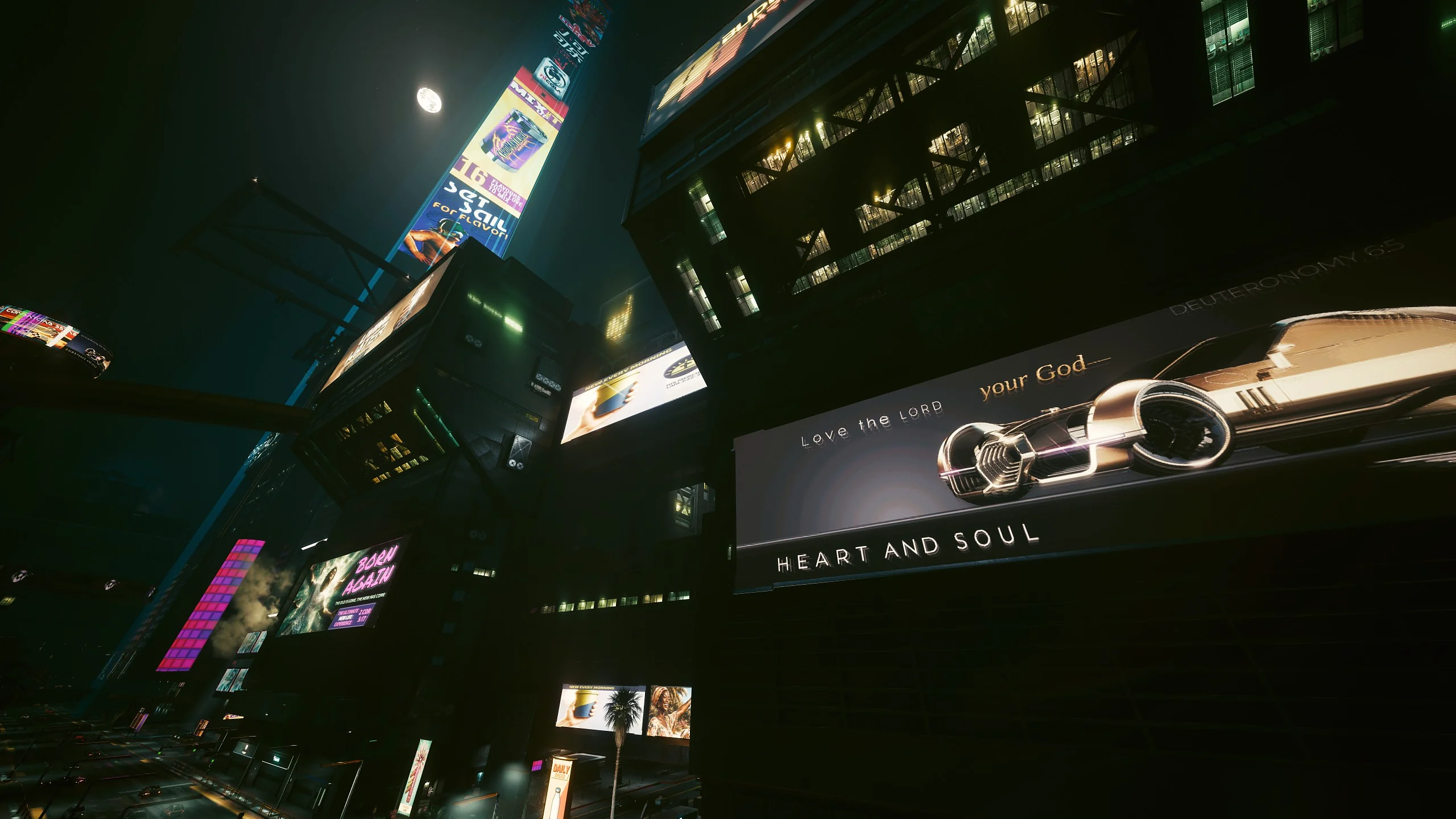
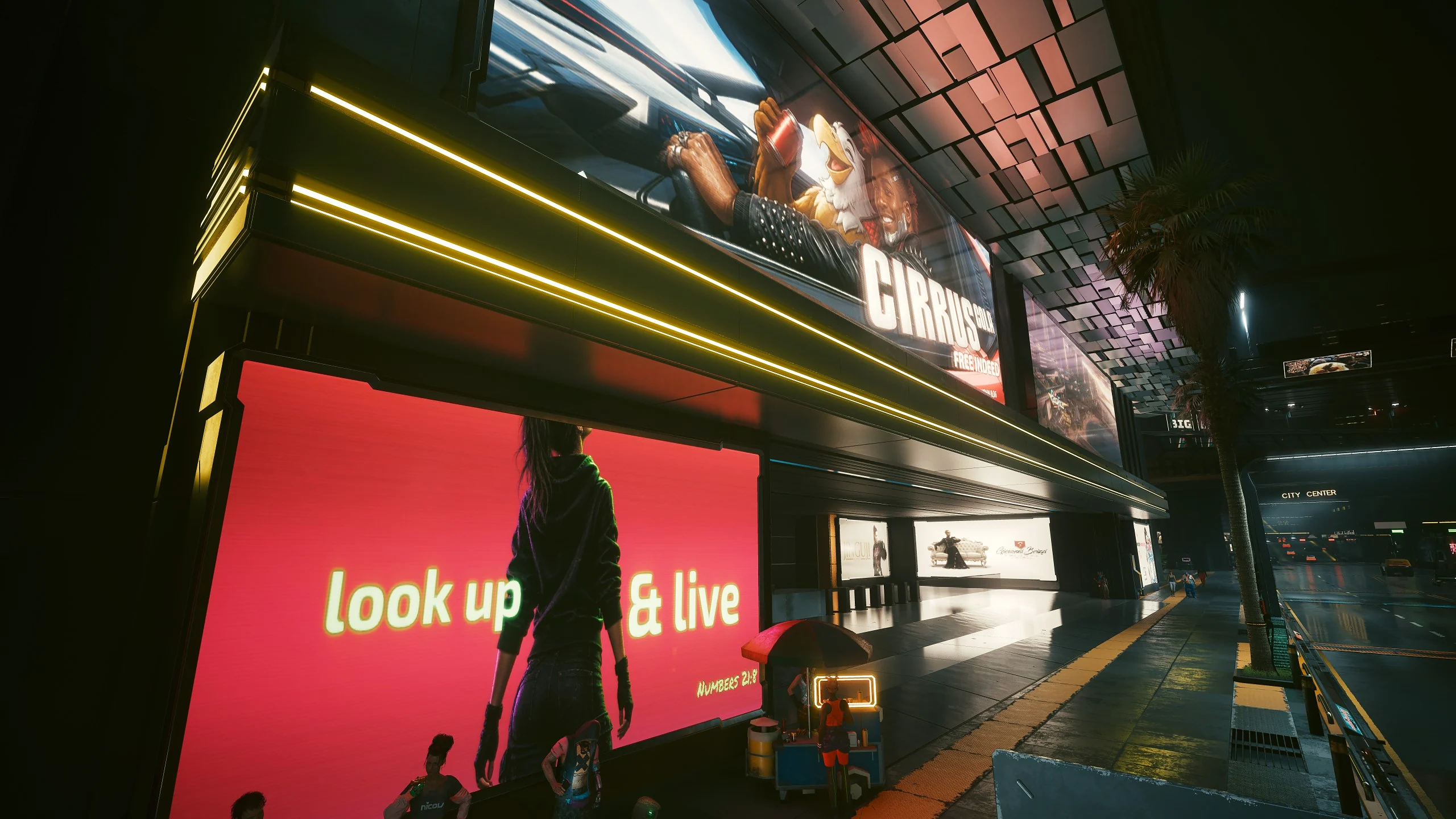
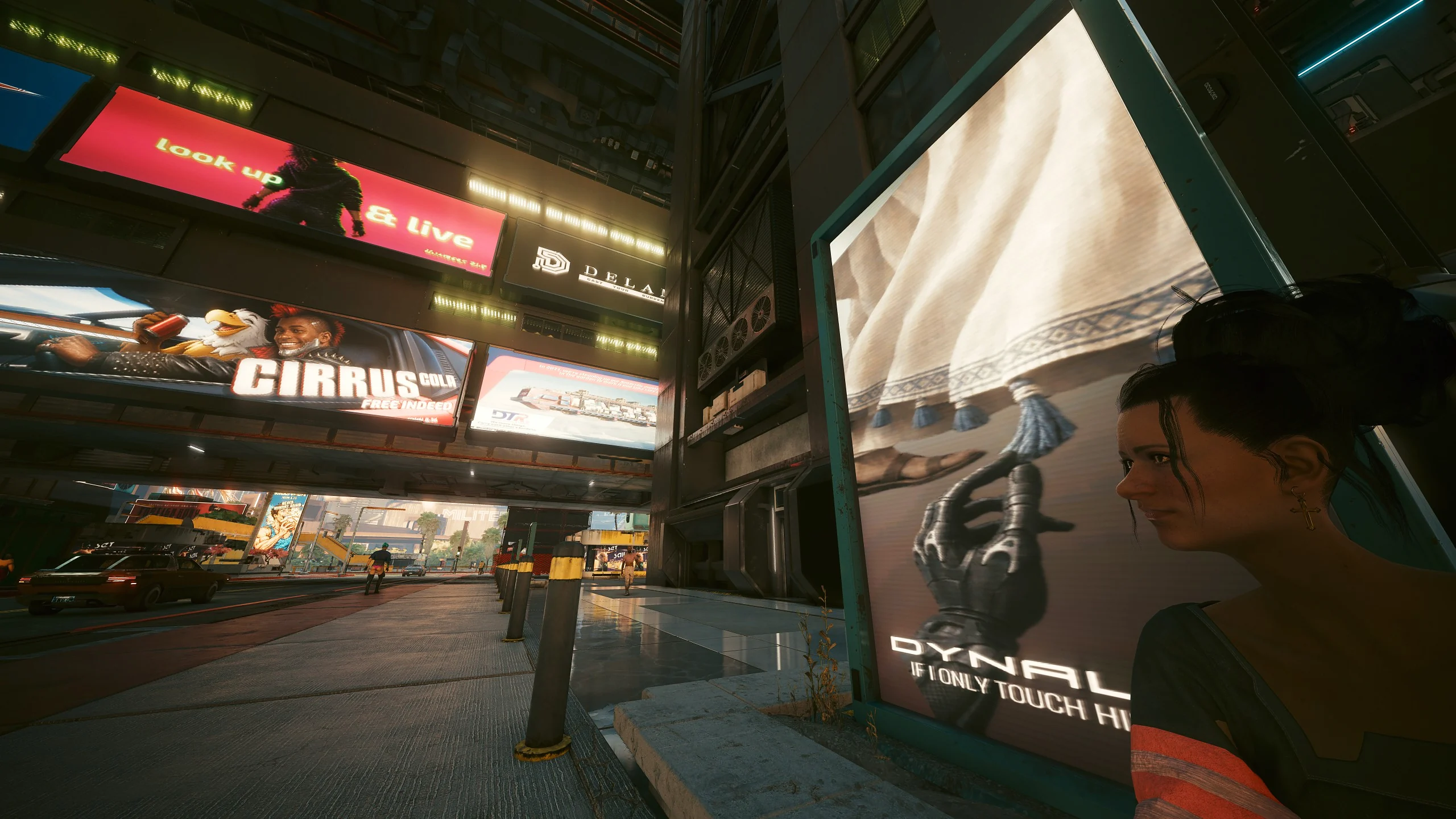
Screenshots from the game with the mod installed. Click a picture to see it full size.
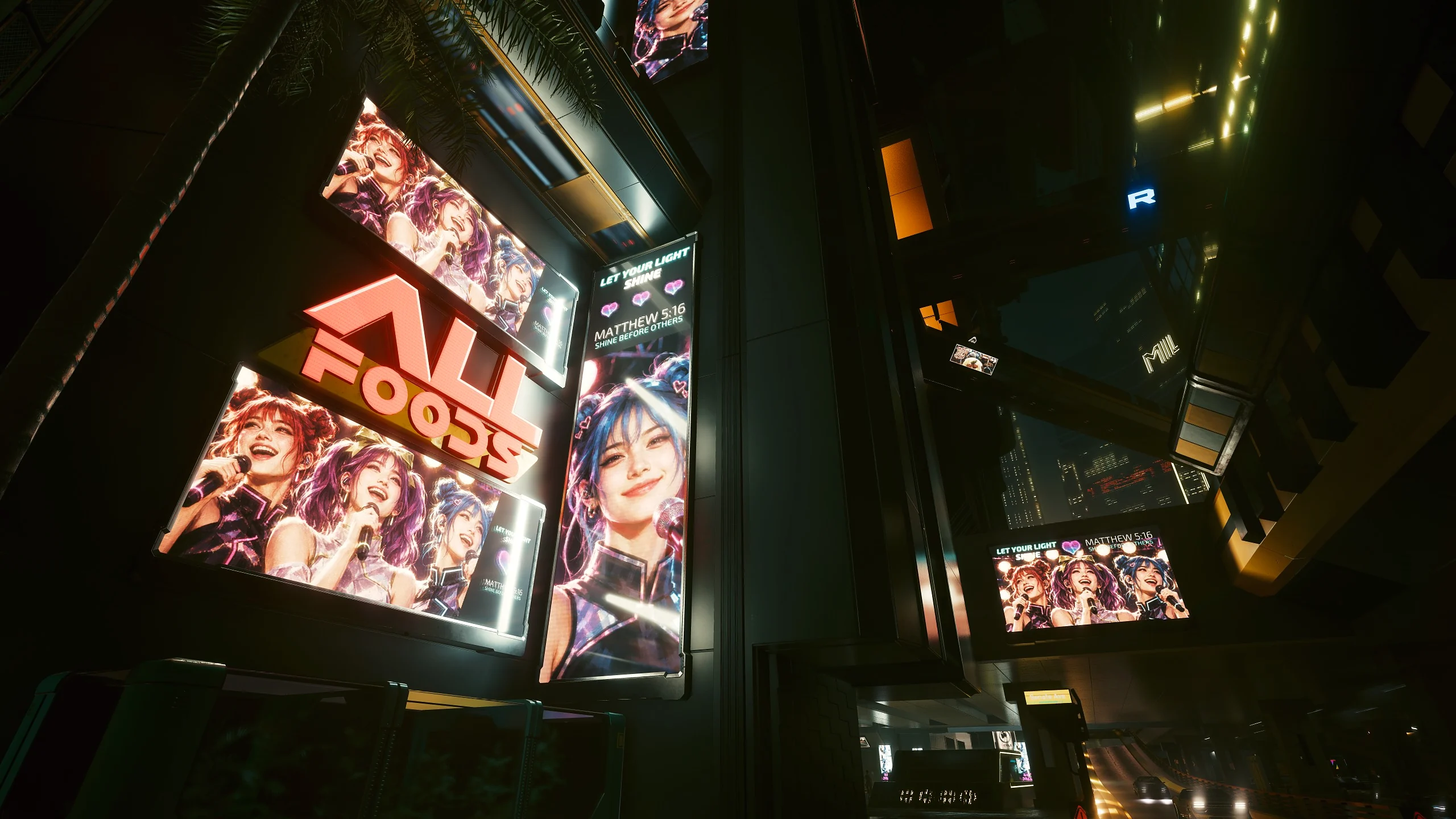
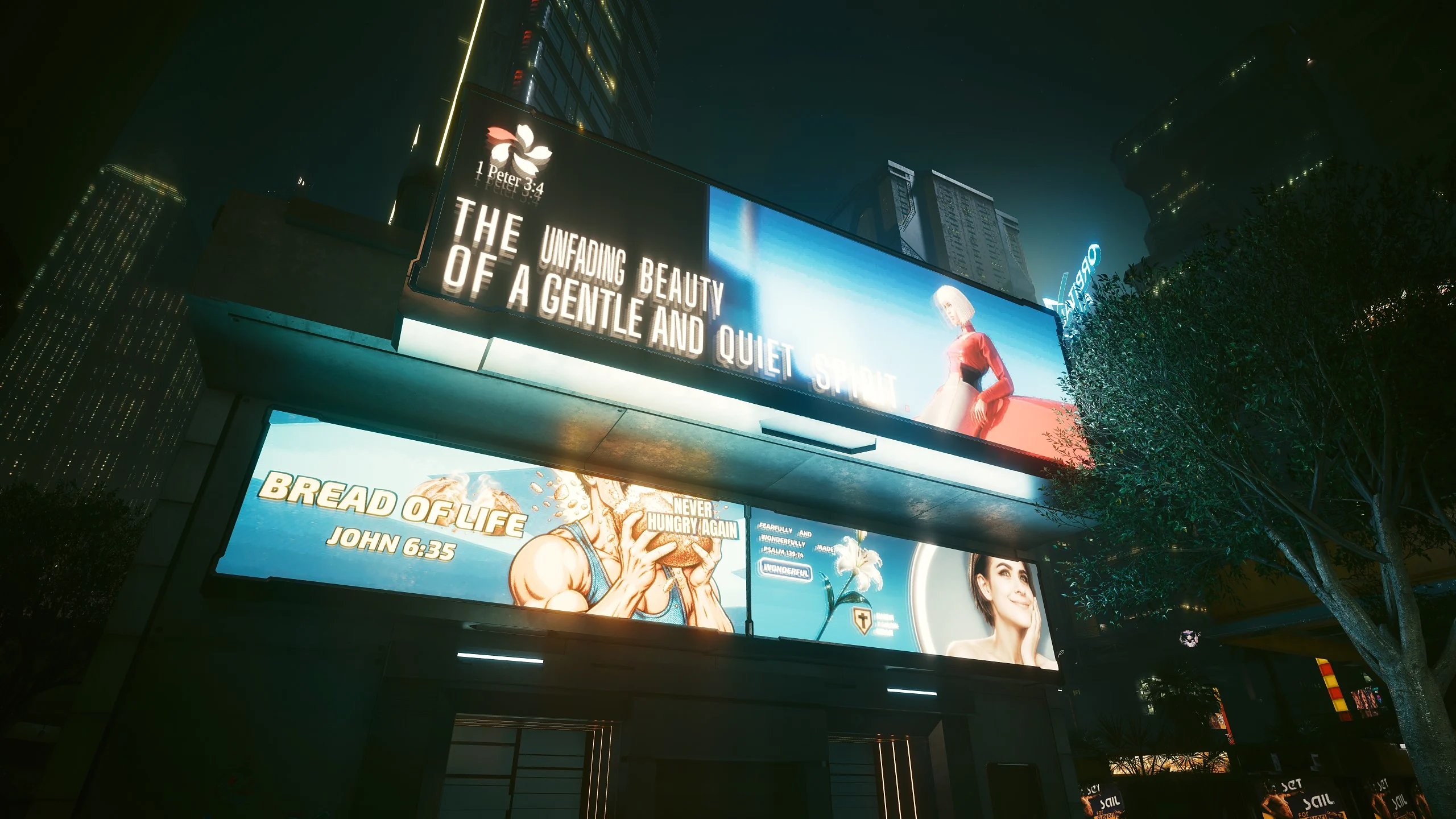
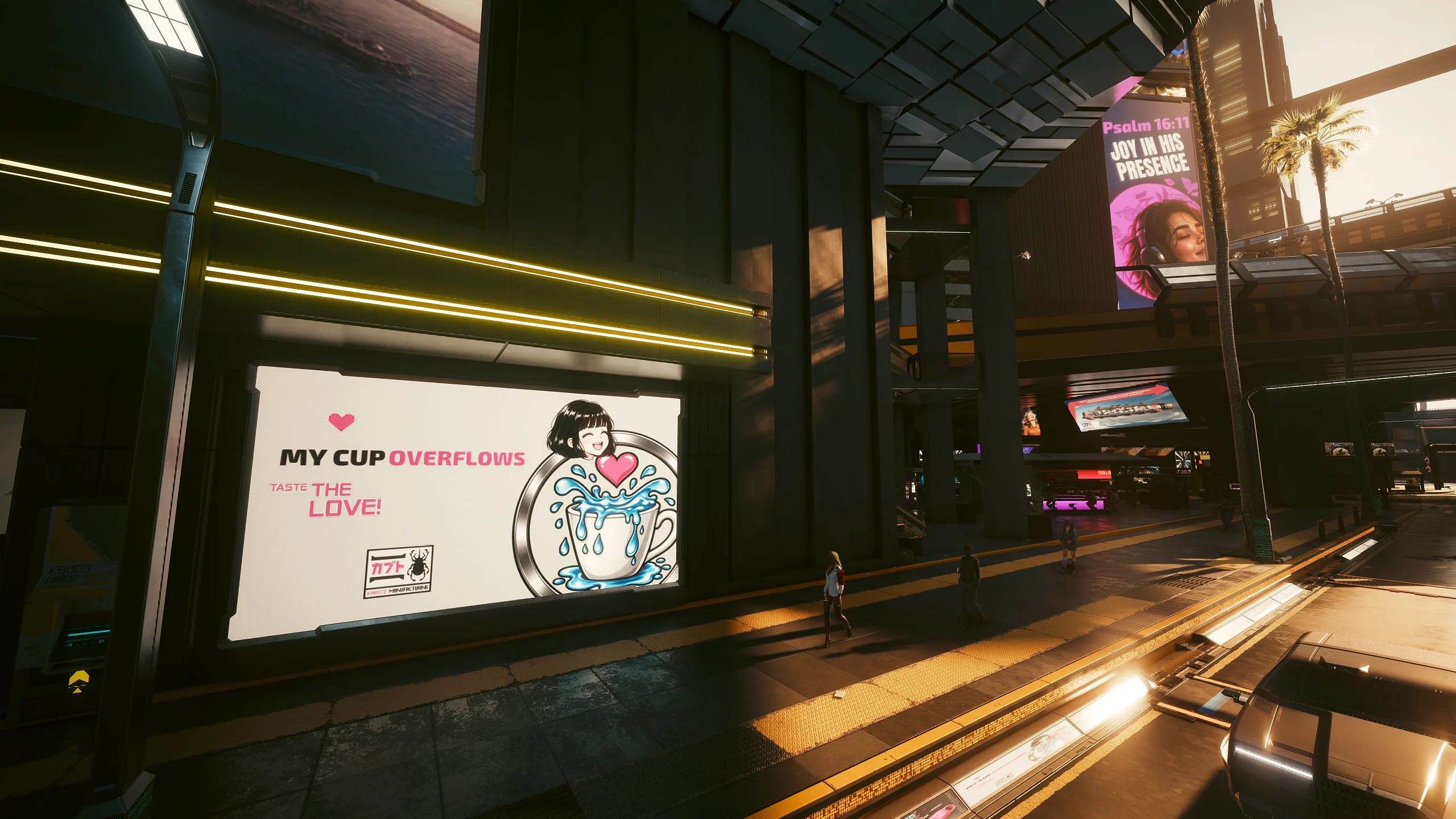
All Foods: “Let your light shine” (Matthew 5:16)Sudo and Sojasil: “The unfading beauty of a gentle and quiet spirit” (1 Peter 3:4) and “Bread of life” (John 6:35)Nicola: “My cup overflows” (Psalm 23:5)The Data Inc wall: “REAL MEN SERVE” and “Sleep in peace” (Psalm 4:8)Rayfield: “Love the Lord your God, HEART AND SOUL” (Deuteronomy 6:5)Gomorrah: “look up & live” (John 3:14–15)Dynalar: “If I only touch his cloak” (Matthew 9:21)Nightcorp: “Worry-free” (1 Peter 5:7)
New
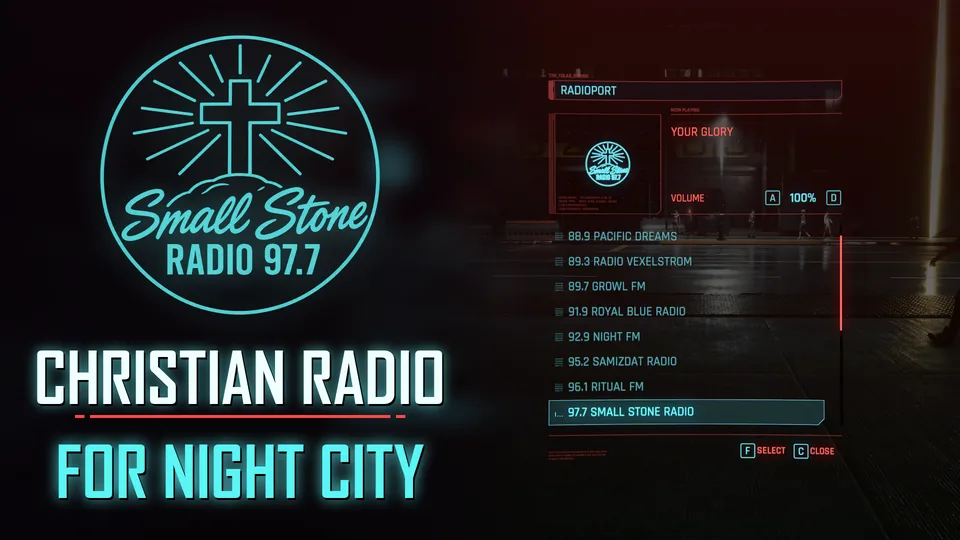
Christian Radio for Night City
The same story goes on in the radio mod. It adds 97.7 Small Stone Radio with 18 worship songs and a DJ who reads a Bible verse before each one. You can tune in to the station on its page.
Night City is covered in ads for drugs, guns and cheap thrills. I wanted to walk the same streets and see good news on the walls instead. The companies are still there, with the same logos, but now they point to Jesus.
Simon Fury
How to install
The steps are the same for Steam, GOG and Epic. Only the place of your game folder differs.
With Vortex (easiest)
On the Nexus page, click “Mod Manager Download” on the Files tab, then enable the mod in Vortex and deploy. Vortex finds your game folder for you.
By hand
Download the zip from the Files tab on Nexus (“Manual Download”).
Open your Cyberpunk 2077 game folder (see below).
Copy the archive folder from the zip into the game folder. If Windows asks to merge folders, say yes.
Check that this file now exists:archive\pc\mod\SmallStoneStudio_VersePosters.archive
Start the game. That's it.
Where is my game folder?
Steam: in your Library, right-click Cyberpunk 2077 > Manage > Browse local files.C:\Program Files (x86)\Steam\steamapps\common\Cyberpunk 2077
GOG Galaxy: open Cyberpunk 2077, click the settings icon next to Play > Manage installation > Show folder.C:\Program Files (x86)\GOG Galaxy\Games\Cyberpunk 2077
Epic Games: in your Library, click the three dots on Cyberpunk 2077 > Manage, then the folder icon next to Installation.C:\Program Files\Epic Games\Cyberpunk2077
The paths are the defaults. The right folder is the one that holds the bin, archive and engine folders.
Uninstall
Remove the mod in Vortex, or delete that one file. Your saves are not touched, so you can add or remove the mod at any time.
Some moving ads and video screens in the game are animations or videos, not pictures. Those still show the original ads in this version.
This is an unofficial fan work and is not approved/endorsed by CD PROJEKT RED.
The pictures on the ads were made with an AI image model, then lettered and fitted into the game's textures with our own scripts. Every ad was checked and approved by hand. The screenshots are real captures from the game.